 itsnotkubrick
5958eceefb
itsnotkubrick
5958eceefb
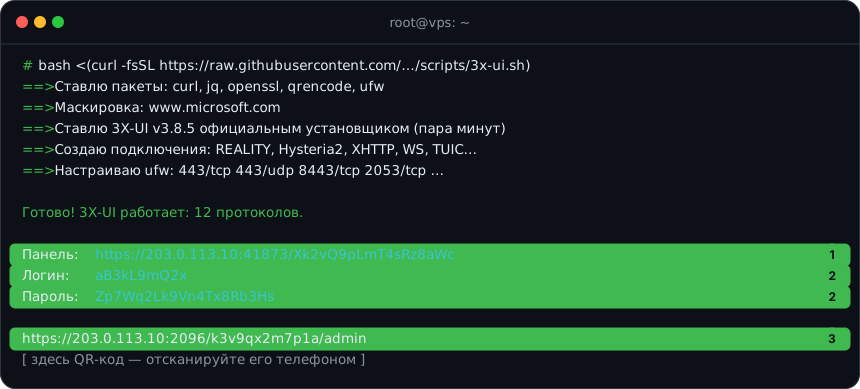
- REALITY, Hysteria2, XHTTP, VLESS/VMess WS, Trojan gRPC, Shadowsocks 2022, TUIC,
  WireGuard, AmneziaWG (классика и 3.1, обфускация генерируется), MTProto
- Все подключения пользователя с общим subId — 3X-UI собирает одну подписку;
  Clash/Mihomo-клиенты получают готовый конфиг, остальные — ссылки
- Свой сертификат: --cert/--key; без Let's Encrypt — самоподписанный, отпечаток в ссылках (pcs)
- --protocols для выбора протоколов, повторный запуск досоздаёт недостающее
- Генератор Mihomo: AmneziaWG 3.1 с правильными именами параметров и version: 3
- Инструкция и матрица обновлены: подписка проверена на Xray, Mihomo и sing-box
1 line
4.7 KiB
XML
1 line
4.7 KiB
XML


<svg xmlns="http://www.w3.org/2000/svg" width="860" height="389" viewBox="0 0 860 389" role="img" aria-label="root@vps: ~"><title>root@vps: ~</title><style>.s{font-family:Inter, -apple-system, 'Segoe UI', Roboto, 'Helvetica Neue', Arial, sans-serif}.m{font-family:'JetBrains Mono', ui-monospace, SFMono-Regular, Menlo, Consolas, monospace}</style><rect x="0.5" y="0.5" width="859" height="388" rx="14" fill="#0d1117" stroke="#30363d" stroke-width="1" /><path d="M1 44 H859" stroke="#30363d"/><circle cx="22" cy="22" r="6" fill="#ff5f57"/><circle cx="40" cy="22" r="6" fill="#febc2e"/><circle cx="58" cy="22" r="6" fill="#28c840"/><text x="430.0" y="27" class="m" font-size="13" fill="#8b949e" font-weight="500" text-anchor="middle">root@vps: ~</text><text x="22" y="70" class="m" font-size="13.5" fill="#3fb950" xml:space="preserve"># </text><text x="38.260000000000005" y="70" class="m" font-size="13.5" fill="#e6edf3" xml:space="preserve">bash <(curl -fsSL https://raw.githubusercontent.com/…/scripts/3x-ui.sh)</text><text x="22" y="91" class="m" font-size="13.5" fill="#3fb950" xml:space="preserve">==> </text><text x="54.52" y="91" class="m" font-size="13.5" fill="#e6edf3" xml:space="preserve">Ставлю пакеты: curl, jq, openssl, qrencode, ufw</text><text x="22" y="112" class="m" font-size="13.5" fill="#3fb950" xml:space="preserve">==> </text><text x="54.52" y="112" class="m" font-size="13.5" fill="#e6edf3" xml:space="preserve">Маскировка: www.microsoft.com</text><text x="22" y="133" class="m" font-size="13.5" fill="#3fb950" xml:space="preserve">==> </text><text x="54.52" y="133" class="m" font-size="13.5" fill="#e6edf3" xml:space="preserve">Ставлю 3X-UI v3.8.5 официальным установщиком (пара минут)</text><text x="22" y="154" class="m" font-size="13.5" fill="#3fb950" xml:space="preserve">==> </text><text x="54.52" y="154" class="m" font-size="13.5" fill="#e6edf3" xml:space="preserve">Создаю подключения: REALITY, Hysteria2, XHTTP, WS, TUIC…</text><text x="22" y="175" class="m" font-size="13.5" fill="#3fb950" xml:space="preserve">==> </text><text x="54.52" y="175" class="m" font-size="13.5" fill="#e6edf3" xml:space="preserve">Настраиваю ufw: 443/tcp 443/udp 8443/tcp 2053/tcp …</text><text x="22" y="196" class="m" font-size="13.5" fill="#e6edf3" xml:space="preserve"></text><text x="22" y="217" class="m" font-size="13.5" fill="#3fb950" xml:space="preserve">Готово! 3X-UI работает: 12 протоколов.</text><text x="22" y="238" class="m" font-size="13.5" fill="#e6edf3" xml:space="preserve"></text><rect x="10" y="244" width="840" height="22" rx="5" fill="#3fb95022" stroke="#3fb950" stroke-width="1" /><circle cx="832" cy="254.5" r="11" fill="#3fb950"/><text x="832" y="259.0" class="s" font-size="12" fill="#0d1117" font-weight="700" text-anchor="middle">1</text><text x="22" y="259" class="m" font-size="13.5" fill="#e6edf3" xml:space="preserve">Панель: </text><text x="95.17" y="259" class="m" font-size="13.5" fill="#39c5cf" xml:space="preserve">https://203.0.113.10:41873/Xk2vQ9pLmT4sRz8aWc</text><rect x="10" y="265" width="840" height="22" rx="5" fill="#3fb95022" stroke="#3fb950" stroke-width="1" /><circle cx="832" cy="275.5" r="11" fill="#3fb950"/><text x="832" y="280.0" class="s" font-size="12" fill="#0d1117" font-weight="700" text-anchor="middle">2</text><text x="22" y="280" class="m" font-size="13.5" fill="#e6edf3" xml:space="preserve">Логин: </text><text x="95.17" y="280" class="m" font-size="13.5" fill="#39c5cf" xml:space="preserve">aB3kL9mQ2x</text><rect x="10" y="286" width="840" height="22" rx="5" fill="#3fb95022" stroke="#3fb950" stroke-width="1" /><circle cx="832" cy="296.5" r="11" fill="#3fb950"/><text x="832" y="301.0" class="s" font-size="12" fill="#0d1117" font-weight="700" text-anchor="middle">2</text><text x="22" y="301" class="m" font-size="13.5" fill="#e6edf3" xml:space="preserve">Пароль: </text><text x="95.17" y="301" class="m" font-size="13.5" fill="#39c5cf" xml:space="preserve">Zp7Wq2Lk9Vn4Tx8Rb3Hs</text><text x="22" y="322" class="m" font-size="13.5" fill="#e6edf3" xml:space="preserve"></text><rect x="10" y="328" width="840" height="22" rx="5" fill="#3fb95022" stroke="#3fb950" stroke-width="1" /><circle cx="832" cy="338.5" r="11" fill="#3fb950"/><text x="832" y="343.0" class="s" font-size="12" fill="#0d1117" font-weight="700" text-anchor="middle">3</text><text x="22" y="343" class="m" font-size="13.5" fill="#e6edf3" xml:space="preserve">https://203.0.113.10:2096/k3v9qx2m7p1a/admin</text><text x="22" y="364" class="m" font-size="13.5" fill="#8b949e" xml:space="preserve">[ здесь QR-код — отсканируйте его телефоном ]</text></svg> |